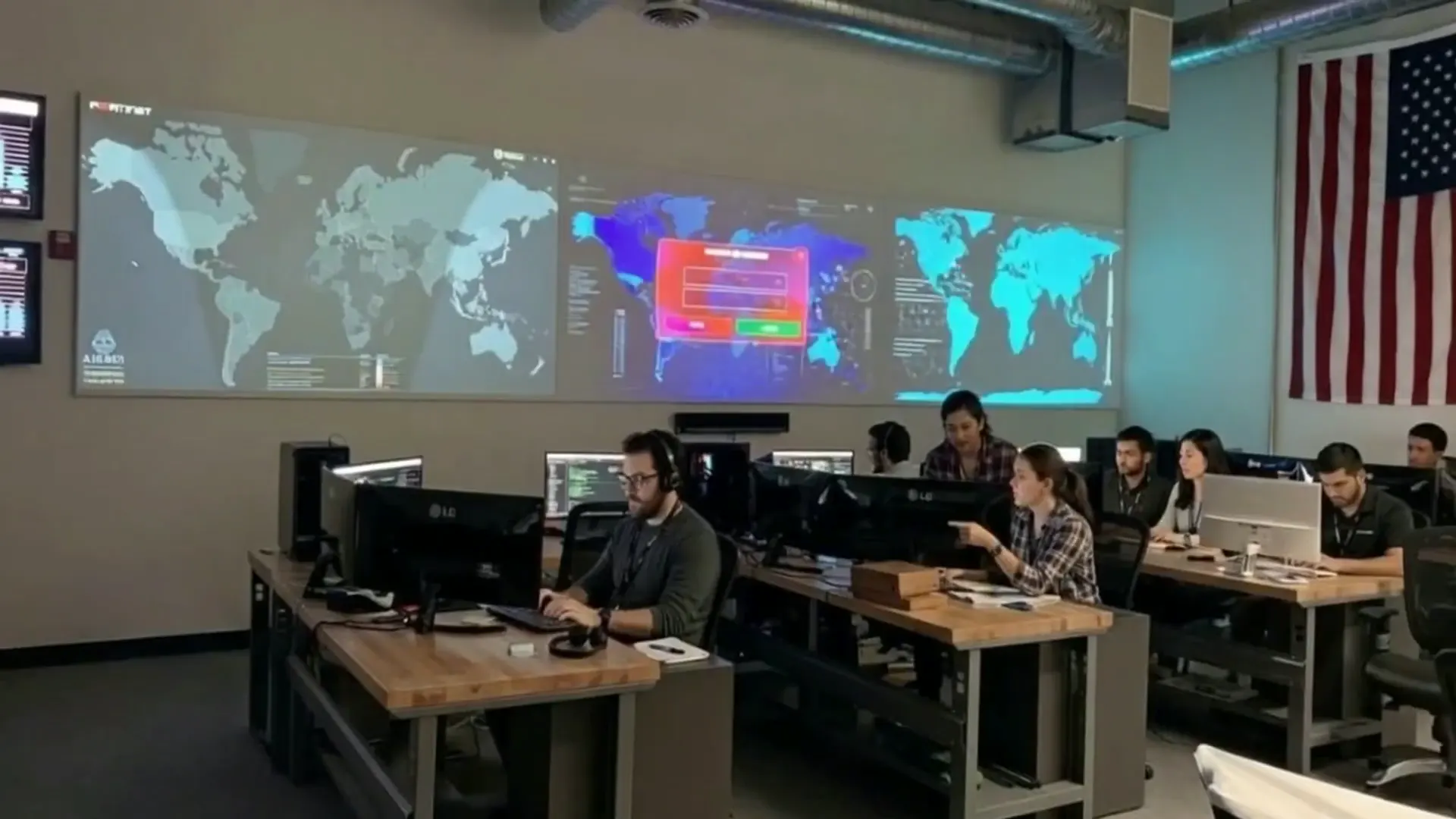
What managed IT services include for Pasadena and Los Angeles businesses
Managed IT is not a break-fix ticket queue with a nicer logo. For most small and mid-sized organizations in Pasadena, Glendale, Burbank, Arcadia, and Greater Los Angeles, it means a named team that monitors your environment, patches endpoints and servers, backs up critical data, and answers the help desk before downtime becomes a payroll, clinic, or client-delivery problem. The goal is predictable operations: fewer surprises, clearer ownership, and a partner who already knows your stack when something fails at 7:40 a.m.
Alcala Consulting has delivered business IT services from our Pasadena office for over 29 years. We combine remote resolution with onsite response inside our service area (roughly forty miles of Pasadena) so firewall outages, primary Wi-Fi access-point failures, router issues, and server problems can be handled the same calendar day when onsite support is part of your managed agreement. Other issues are resolved remotely whenever that is faster and safer—which is most of the time for software, identity, and Microsoft 365 work.
If you searched for managed IT services near me or small business IT support near me, you are usually comparing three things: response quality, security maturity, and whether the provider will still know your environment a year from now. Marketing pages blur those differences. A useful evaluation starts with inventory—users, locations, line-of-business apps, compliance pressure—and then maps services to that reality. Our managed IT services overview and Pasadena hub describe how that looks for local teams.
Core building blocks of a managed IT stack
- 24/7 monitoring and alerting for servers, network gear, Microsoft 365, and endpoint health—so silent failures do not wait until Monday morning when staff cannot open files or take payments.
- Patch and configuration management with change windows that respect clinic hours, court calendars, month-end accounting close, and nonprofit board meeting weeks.
- Backup and recovery testing—not just “backup succeeded,” but restore drills you can show an auditor, cyber insurer, or board finance committee.
- Security baselines: phishing-resistant MFA where possible, least-privilege admin, email filtering, endpoint detection, and documented incident steps sized for Los Angeles SMBs—not an enterprise SOC theater production.
- Vendor coordination for ISPs, VoIP, printers, line-of-business apps, and cloud tenants so you are not stuck in the middle of finger-pointing during an outage.
- Lifecycle planning for aging workstations, firewalls, and Wi-Fi so replacements are budgeted instead of emergency purchases after a failure.
Managed IT also includes the unglamorous work that keeps people productive: onboarding and offboarding accounts, shared mailbox hygiene, printer mapping, VPN access for hybrid staff, and documenting who owns which SaaS subscription. Those details are where many “cheap IT” arrangements quietly fail. When ownership is unclear, security gaps and shadow IT fill the vacuum.
Break-fix IT versus managed IT: what actually changes
Break-fix support bills when something is already broken. That model can work for a tiny office with low risk tolerance for surprises—until the first ransomware event, failed backup, or departed admin who was the only person who knew the firewall password. Managed IT shifts spend toward prevention and known response paths. You still escalate incidents; you simply start from a healthier baseline and a team that already has credentials, diagrams, and monitoring history.
Cost comparisons should include hidden labor: partners hunting for “someone who knows QuickBooks and Wi-Fi,” executives resetting passwords for staff, and finance teams reconstructing files from email attachments after a share drive failure. Those hours rarely appear on an IT invoice, but they appear in delayed invoices, missed filings, and frustrated clients. Managed services make that risk visible and assign owners.
| Topic | Break-fix pattern | Managed IT pattern |
|---|---|---|
| Monitoring | Often none until users complain | Continuous alerts with triage |
| Patching | Ad hoc, when remembered | Scheduled windows with reporting |
| Backups | Unverified or personal drives | Tested restores and retention policy |
| Budget | Spiky emergency invoices | Predictable per-user or scoped fee |
| Knowledge | Lives with whoever last touched it | Documented in shared runbooks |
Neither model is moral or immoral—it is a risk choice. Firms handling client funds, health information, legal discovery, or Controlled Unclassified Information usually outgrow break-fix quickly. If you are unsure where you sit, a short consulting engagement to map risk is cheaper than learning during an incident. See IT consulting and IT support.
Step-by-step: moving a Pasadena business onto managed IT
Migration anxiety is normal. Most teams fear a “rip and replace” weekend. A sane transition is phased, documented, and boring—in a good way. Below is the sequence we use with San Gabriel Valley and Los Angeles clients when they leave a prior provider or an informal internal arrangement.
- Discovery workshop. Inventory users, devices, servers, SaaS apps, ISP circuits, phone systems, and compliance drivers. Identify single points of failure (one admin account, one aging firewall, one untested backup).
- Access and documentation handoff. Collect registrar, Microsoft 365 global admin, firewall, backup, and vendor contacts. Rotate credentials that were shared in chat threads or sticky notes.
- Stabilization sprint. Fix critical monitoring gaps, MFA holes, and backup failures before optimizing anything else. Stability first; polish second.
- Standards rollout. Agree on naming, patch windows, approved software, and how tickets are prioritized. Publish a one-page “how to get help” guide for staff.
- Lifecycle and project backlog. Separate keep-the-lights-on work from projects (Wi-Fi redesign, M365 migration, CMMC remediation) with owners and dates.
- Quarterly business review. Review ticket themes, security events, backup test results, and upcoming renewals so leadership sees IT as managed risk—not mystery spend.
Expect the first thirty to sixty days to emphasize listening and cleanup. Providers who promise a perfect environment in a week usually skip documentation—and documentation is what makes the next outage shorter. If you want a local starting point, browse the locations directory or contact us from the contact page.
Cybersecurity for Los Angeles SMBs: practical controls that stick
Cybersecurity for a twenty-five-person firm is different from an enterprise security operations center. You need controls staff will actually use: phishing-resistant MFA where available, least-privilege admin, encrypted and tested backups, email filtering, and a written ransomware plan that names who calls whom. Fancy dashboards without ownership create a false sense of safety.
Greater Los Angeles businesses face the same commodity threats as everyone else— credential phishing, business email compromise, ransomware—plus local wrinkles: hybrid offices across multiple cities, shared coworking Wi-Fi habits, and vendors who still email W-9s and wire instructions without verification. Training helps, but architecture matters more. Assume someone will click; design so one click does not equal domain admin and unencrypted file shares.
A baseline stack we recommend discussing
- Identity: MFA, conditional access where licensed, separate admin accounts
- Email: advanced filtering, spoofing protections, and vendor-payment verification habits
- Endpoints: managed detection/response or strong EDR with central visibility
- Network: maintained firewall firmware, segmented guest Wi-Fi, VPN for remote staff
- Data: known backup targets, offline or immutable copies where appropriate, restore tests
- Process: incident contact tree, insurer requirements, and evidence retention
California privacy expectations (including CCPA/CPRA themes for many businesses) also push firms to know where personal information lives and who can access it. That inventory doubles as cybersecurity homework. Dig deeper on our cybersecurity service page and the Pasadena cybersecurity guide.
CMMC Level 2 readiness for Southern California contractors
For companies in the Department of Defense supply chain across Southern California, CMMC Level 2 readiness is not a binder exercise. It requires scoped systems that handle Controlled Unclassified Information (CUI), mapped practices, evidence you can produce on demand, and day-to-day IT that does not quietly unwind the controls you paid to implement. As a CMMC Registered Practitioner organization based in Pasadena, Alcala Consulting helps teams separate marketing claims from control ownership.
Requirements evolve; treat any public article—including this one—as orientation, not a substitute for the official program documentation and your assessor’s expectations. The practical sequence for most SMBs still looks like this:
- Identify CUI scope and where it actually lives (email, shares, ERP, laptops, vendors).
- Map current tools to required practices and honestly mark gaps.
- Fix identity, endpoint, and backup foundations before polishing policy language.
- Assign owners and an evidence cadence so assessments are not a fire drill.
- Align managed IT operations so patches, access reviews, and logging continue after the project ends.
CMMC work fails when it is treated as a one-time project detached from help desk reality. If technicians still share admin passwords to “just fix it,” your documentation will not survive contact with operations. Pair compliance consulting with managed execution. Start with CMMC Level 2 compliance.
Practically, Level 2 readiness work includes asset inventory, multifactor everywhere it belongs, logging that someone actually reviews, encrypted backups with offline or immutable copies, and written procedures staff can follow under stress. Many Los Angeles subcontractors discover gaps only when a prime contractor demands evidence. Starting early—while you still choose the pace—costs less than a rushed scramble before a contract award deadline. Pair technical controls with role-based access so departed employees lose production credentials the same day HR closes their file.
IT consulting and cloud decisions that leadership can execute
IT consulting should produce decisions you can fund and finish: cloud versus on-prem for a specific workload, Microsoft 365 hardening priorities, VoIP cutovers, Wi-Fi redesigns, and whether a line-of-business app should stay vendor-hosted. We document options in plain language, then implement with the same operators who will support the outcome—so knowledge does not leave with a short-term project crew.
Microsoft 365 is now the default collaboration layer for many Pasadena professional services firms. That convenience creates identity risk if global admin is shared, if MFA is optional, or if former employees retain licenses and mailbox access. Consulting here often means less “new software” and more “govern what you already bought.” Licensing optimization, retention policies, and secure external sharing rules pay for themselves in avoided incidents.
Cloud migrations fail when nobody defines success. Moving file servers to SharePoint without training, bandwidth checks, or permission redesign simply relocates frustration. A useful consulting engagement sets acceptance criteria: who can open which libraries, how offline access works for field staff, and how backups cover SaaS mis-deletes—not only ransomware.
Explore IT consulting services and city context on Los Angeles, Burbank, and Glendale hubs.
AI automation that helps SMBs without creating shadow IT
AI automation for local SMBs usually starts with high-volume, low-judgment work: appointment intake, after-hours reception, invoice capture, status emails, and checklist driven onboarding. Done well, it frees licensed professionals for billable or customer-facing work. Done poorly, it creates unapproved tools, leaked prompts, and compliance exposure. We scope use cases against data sensitivity and staff capacity first.
A useful rule: automate the path, not the judgment. Let software draft and route; keep humans on approvals that move money, disclose client data, or change production systems. Require MFA on automation platforms. Prefer vendors with clear data handling terms. Log who changed what. If a tool cannot meet those basics, it is not ready for production—even if a demo looked magical.
Good first automation candidates
- Appointment reminders and no-show follow-ups
- Standard FAQ replies with human escalation
- Invoice/OCR into QuickBooks with review queues
- New-hire account checklists across Microsoft 365 and line-of-business apps
- Internal status digests assembled from ticket systems
Defer until controls are ready
- Unsupervised access to client, patient, or CUI data
- Anything that signs contracts or moves money without approval
- Automations that bypass MFA or shared mailboxes
- Tools that store prompts in unknown regions with vague retention
- “Autonomous” agents with production admin rights
Learn more on our AI automation page, and read practical updates on the blog.
Onsite versus remote support in the San Gabriel Valley
Remote support resolves most software, identity, and cloud issues faster than driving across Los Angeles traffic. Onsite support still matters when physics is involved: dead firewalls, failed switches, flaky Wi-Fi access points, server hardware, or cabling that no amount of screen sharing can re-seat. Alcala Consulting’s model is remote-first with deliberate onsite capacity inside about forty miles of our Pasadena office at 35 North Lake Avenue, Suite 710.
For managed clients with onsite included, Priority-1 events—such as a down server, firewall, router, or primary Wi-Fi AP—are targeted for same-calendar-day onsite response when onsite is the right fix. Other tickets stay remote unless diagnostics show a local hands-on need. That clarity prevents two failure modes: dispatching trucks for password resets, or promising “always onsite tomorrow” when freeway reality and parts availability disagree.
Multi-site firms (for example a Pasadena headquarters with a Burbank warehouse or Glendale clinic) should ask how tickets are routed across locations and whether each site has minimum network standards. Standardization reduces tribal knowledge. Document which sites are revenue-critical versus administrative so onsite SLAs match business impact. If a location is outside our service area, we will say so rather than sell a fiction—see About Alcala Consulting for how we work.
In practice, remote-first works when monitoring, documentation, and identity are healthy. If your RMM agent is missing, your password vault is tribal knowledge, or your firewall has never been inventoried, onsite visits turn into archaeology. Good managed partners invest in discovery so the first remote session has context: VLAN maps, Wi-Fi SSIDs, critical applications, and who owns which SaaS tenant. That preparation is why a fifteen-minute remote fix often replaces a two-hour drive across the 210 or the 110.
Ask candidates how they decide between remote and onsite, how parts are stocked or drop-shipped, and whether after-hours coverage includes true hands-on response or only phone triage. For offices in Pasadena, South Pasadena, Altadena, San Marino, Arcadia, and nearby San Gabriel Valley cities, local familiarity with building access rules, HOA-controlled suites, and shared-tenant wiring closets matters. A partner who already knows those constraints wastes less of your staff time coordinating elevators and badges.
Industry notes for Pasadena and Greater Los Angeles firms
Vertical context changes priorities. The same managed IT platform serves different risk profiles. Below are patterns we see repeatedly across the San Gabriel Valley and Los Angeles County—not stereotypes, but recurring operational truths.
Accounting and financial services
Tax season and monthly close create hard windows where downtime is intolerable. Firms need reliable remote access, disciplined MFA, and backup strategies that protect QuickBooks and document management systems. Business email compromise targeting wire instructions is a constant threat; process controls matter as much as spam filters. Dual-control for payments, verified call-backs on bank detail changes, and immutable backups of engagement files are table stakes for Los Angeles County practices that move client money. Browse accounting and financial IT.
Healthcare and clinical offices
Clinics need uptime for scheduling and records, careful vendor management, and workstation standards that do not invite ransomware through unpatched imaging or billing systems. Privacy obligations raise the cost of informal USB habits and shared logins. Business associate agreements, access logging, and tested restore of electronic health record exports should be discussed before an incident forces the conversation. See healthcare IT.
Legal services
Matter confidentiality, e-discovery readiness, and mobile attorney workflows dominate. Secure document sharing and controlled external collaboration beat consumer file links. Outages during filing deadlines are existential. Explore legal services IT.
Nonprofits and associations
Budget constraints push nonprofits toward donated equipment and volunteer admins. That generosity can create unmanaged risk. Predictable managed services with clear scope often protect mission better than heroic unpaid IT. See nonprofit IT.
Distribution and wholesale
Warehouse scanners, ERP connectivity, and multi-site networks punish weak Wi-Fi and brittle VPNs. Lifecycle planning for rugged devices and failover internet can matter more than a prettier laptop standard. Review distribution and wholesale IT.
Professional services and agencies
Creative and consulting firms live in laptops, cloud design tools, and client portals. The failure mode is rarely a dead server—it is lost access to Adobe, Figma, project management, or a compromised contractor account that still has production credentials. Managed IT for these teams emphasizes device standards, offboarding speed, least-privilege SaaS roles, and reliable backups of shared drives that still hold irreplaceable brand assets. Hybrid staff who work from cafes and client sites need VPN or zero-trust access that does not punish legitimate mobility while still blocking risky public Wi-Fi habits.
Manufacturing and light industrial
Plants and light manufacturers often mix modern ERP with aging shop-floor controllers. Segmenting operational technology from office networks, documenting who can change PLC or CNC connectivity, and planning maintenance windows around production runs are as important as endpoint antivirus. A ransomware event that spreads from a shipping desk into a control VLAN can stop revenue colder than any email outage. Partners who only sell laptop packages without network segmentation plans leave a blind spot.
Across industries, the pattern is the same: map critical workflows, name owners, and align IT controls to those workflows before buying more tools. A Pasadena professional services firm, a Burbank clinic, and a City of Industry distributor can share the same monitoring platform and still need different change-management rules. When you evaluate managed IT proposals, ask for industry examples and how onboarding will capture your unique applications—not only a generic Microsoft 365 checklist.
If your sector has regulatory overlays—HIPAA, financial privacy, government contracting, or grant-driven nonprofit reporting—those requirements should appear in the statement of work as concrete controls and evidence collection, not as marketing adjectives. Depth here is what separates a local partner who can grow with you from a ticket desk that resets passwords forever without reducing risk.
Framing downtime and ROI without fantasy math
Everyone has seen ROI calculators that invent hourly revenue loss to sell managed services. Treat those as conversation starters, not gospel. A better framing for Pasadena and LA leaders is scenario planning: what fails, who is affected, how long recovery takes today, and what a tested backup or redundant circuit would change. If email is down for half a day during invoice week, the cost is delayed cash and staff overtime—not a universal industry average.
Security ROI is similarly grounded: insurer questionnaire readiness, avoided forensic retainers, and reduced probability of a multi-week rebuild after ransomware. You cannot promise a breach will never happen. You can promise faster detection, clearer ownership, and restores that were practiced. That is the honest value proposition of combining managed IT with cybersecurity discipline.
When comparing proposals, ask each provider to list inclusions, exclusions, response targets, and what happens after hours. Ambiguous “unlimited support” language often hides project fees for anything beyond password resets. Clarity is cheaper than disputes. Ask whether after-hours coverage is true on-call engineering or an answering service that opens a ticket for the next business day—those are not the same product.
Finally, measure leading indicators quarterly: patch compliance percentage, backup test success, open critical vulnerabilities, MFA coverage, and mean time to resolve P1 tickets. Those metrics tell you whether the managed relationship is working long before a catastrophic outage becomes your only scoreboard.
How we think about vendors, tooling, and “stack sprawl”
Southern California SMBs often accumulate tools the way closets accumulate cables: a backup product from three years ago, a free antivirus trial that became permanent, a marketing Wi-Fi appliance nobody renews, and three overlapping SaaS apps with the same contacts. Managed IT is partly curation. Fewer well-operated tools beat a shelf of partially configured licenses that create alert fatigue and forgotten renewals.
We prefer boring reliability over novelty for core infrastructure: maintained firewalls, current endpoint agents, proven backup targets, and identity platforms your staff already use daily. Innovation belongs in automation and process improvements once the foundation is trustworthy. If a vendor cannot explain data residency, admin audit logs, or export paths, it does not belong next to client or patient data—regardless of how polished the demo looked.
Stack reviews should also catch shadow IT. When departments buy their own file-sharing or AI writing tools on personal cards, security and records retention become accidental. A practical governance model is simple: approved catalog for common needs, fast exception process for genuine gaps, and automatic offboarding when people leave. That is culture work as much as technology work, and it fails when leadership treats IT as a help desk only.
During onboarding we catalog what you already own, what is unused, and what is duplicative. The goal is not to rip everything out on day one; it is to stop paying for risk you do not need and to fund the controls you do. That discipline is part of why long-term managed relationships outperform serial break-fix engagements for firms that intend to grow.
What “good” looks like after ninety days of managed IT
By the end of the first quarter, a healthy engagement usually shows tangible artifacts: an accurate asset list, monitoring coverage on critical systems, MFA enforced for administrators, backup jobs with at least one successful restore test, a staff-facing “how to get help” guide, and a prioritized project backlog that leadership recognizes. Ticket volume may temporarily rise as hidden problems become visible—that is often a sign of progress, not failure.
Communication cadence matters. Weekly operational notes for the first month, then a monthly or quarterly business review, keep expectations aligned. You should know which incidents were user error, which were vendor outages, and which were gaps in your own standards. Without that narrative, IT feels like weather: something that happens to you rather than something you manage.
Security posture should also move. Even without a full CMMC project, most Pasadena SMBs can eliminate shared admin passwords, close obvious firewall holes, and stop storing the only copy of critical files on a single desktop. Those are unglamorous wins. They are also the difference between a recoverable incident and a business-interrupting one.
If ninety days pass and you still cannot name your backup owner, your patch window, or your after-hours path, the managed relationship is not managed—it is outsourced confusion. Hold providers (including us) to evidence. That standard is how we prefer to be evaluated, and it is how you protect the people who depend on your systems every day across Pasadena and Greater Los Angeles.
Checklist: evaluating a managed IT partner in Greater Los Angeles
- Verify NAP consistency. Our office is 35 North Lake Avenue, Suite 710, Pasadena, CA 91101. Phone +1-626-449-5549. Mismatched addresses across the web hurt directory trust for any local provider—including us if directories go stale, which is why we keep them consistent on-site.
- Confirm onsite radius and priority definitions. Ask for written P1 definitions. We document same-calendar-day onsite targets for managed clients when onsite is included for qualifying infrastructure failures.
- Review security ownership. Who owns MFA, backups, logging, and after-hours escalation? Get names and escalation paths in writing.
- Compare pricing models. Per-user managed IT with clear inclusions usually beats surprise hourly invoices for SMBs—but only if exclusions are explicit.
- Read recent Google reviews on the real Business Profile. We publish verified rating signals from our profile; confirm they match before you sign.
- Ask for sample reporting. Ticket themes, patch compliance, and backup test results should be intelligible to a non-technical owner.
- Test communication style. You will call these people during stress. Prefer plain language over buzzwords.
Ready to walk through your environment? Contact Alcala Consulting or call 626-449-5549. We will tell you honestly if you are outside our service area or need a different specialist first.
Frequently asked questions about IT services in Pasadena and Los Angeles
Do you offer onsite and remote support?
Yes. We resolve most tickets remotely and dispatch onsite within our Pasadena-centered service area when hardware or local network conditions require it.
What cities do you serve?
Greater Los Angeles with a focus on Pasadena, Glendale, Burbank, Arcadia, Monrovia, Los Angeles neighborhoods inside our radius, and nearby San Gabriel Valley cities. See the locations directory.
Do you support CMMC and cybersecurity for contractors?
Yes. We help defense-adjacent and regulated SMBs with practical cybersecurity and CMMC Level 2 readiness work paired with day-to-day managed IT—not a binder that gathers dust.
What does business IT consulting cover?
Roadmaps, cloud and Microsoft 365 decisions, security prioritization, vendor selection, and project leadership—delivered by the same operators who will support the outcome.
How fast is onsite response for emergencies?
For managed clients with onsite included, Priority-1 infrastructure failures (such as server, firewall, router, or primary Wi-Fi AP down) are targeted for same-calendar-day onsite response inside our service area when onsite is the appropriate fix.
Can you replace our current IT provider without a long outage?
Most transitions are phased: access handoff, monitoring, then standards. The aim is continuity, not a dramatic cutover weekend. Timeline depends on documentation quality from the prior environment.
Do you help with Microsoft 365 and email security?
Yes. Identity hardening, mailbox security, backup considerations for SaaS data, and operational standards for sharing and retention are common consulting and managed workstreams.
Is AI automation included in managed IT?
Automation is scoped as projects or add-on services after confirming data sensitivity and ownership. We do not drop ungoverned bots into production as part of basic monitoring.
Where is your office and how do we reach you?
35 North Lake Avenue, Suite 710, Pasadena, CA 91101. Phone 626-449-5549. Prefer email or a form? Use Contact.
Talk with a Pasadena managed IT team that stays local
Alcala Consulting combines 29+ years of regional experience with modern managed IT, cybersecurity, CMMC readiness support, and practical automation. If you want a clear assessment of your stack—not a generic pitch deck—reach out. We will map risks, explain tradeoffs, and only propose work that fits how your business actually runs.